Control your
Superfit SP37914US
from your iPhone
With Treadmill Pro on your iPhone, your Superfit SP37914US becomes truly hands-free. The app pairs over Bluetooth automatically, so you can adjust speed and incline without ever reaching for the console mid-run.


Free · iPhone, iPad & Android
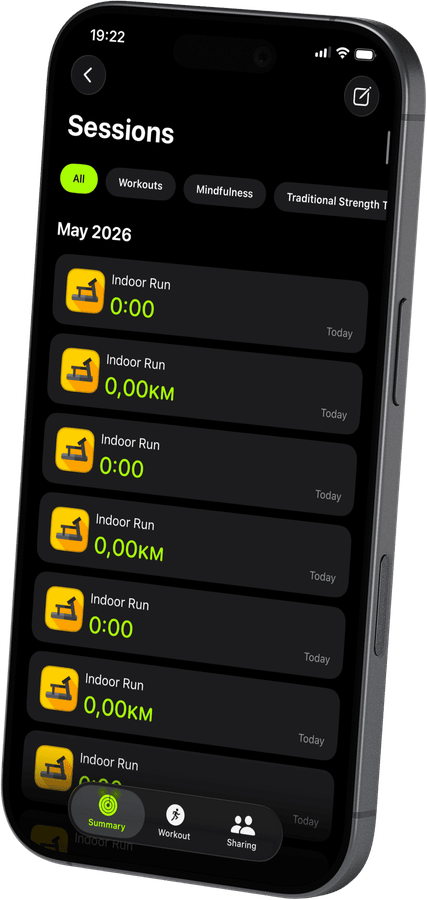

All your Superfit SP37914US workouts in Apple Health
Every run on your Superfit SP37914US is logged automatically: distance, calories, active minutes, and real-time heart rate from Apple Watch. Open the Health app and your treadmill history is already there.
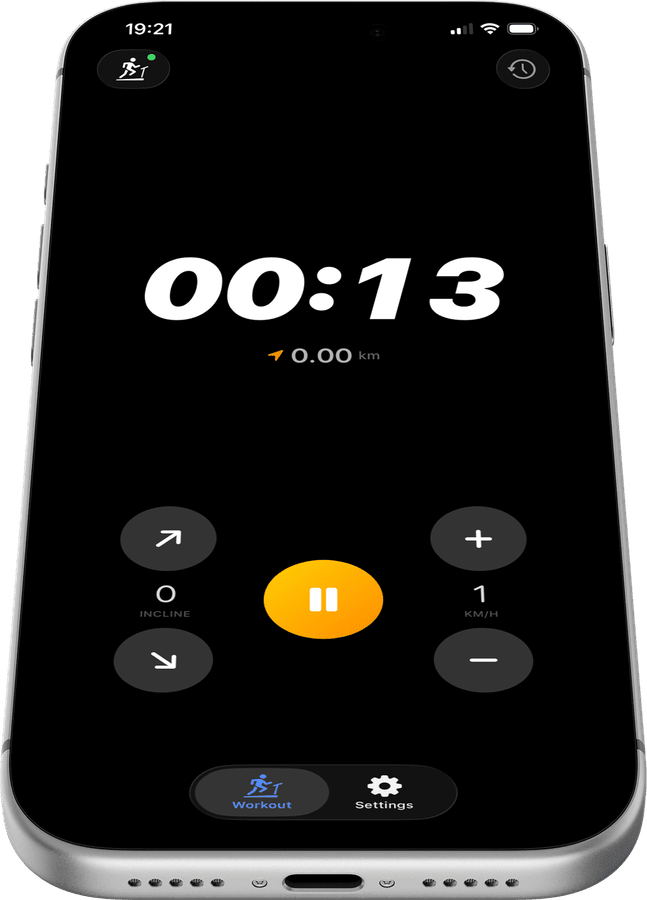
Full speed and incline control from your iPhone
Tap once to increase speed, tap again to adjust incline. Treadmill Pro keeps the controls front and center during every session, so you never make an awkward reach toward the console while you run.
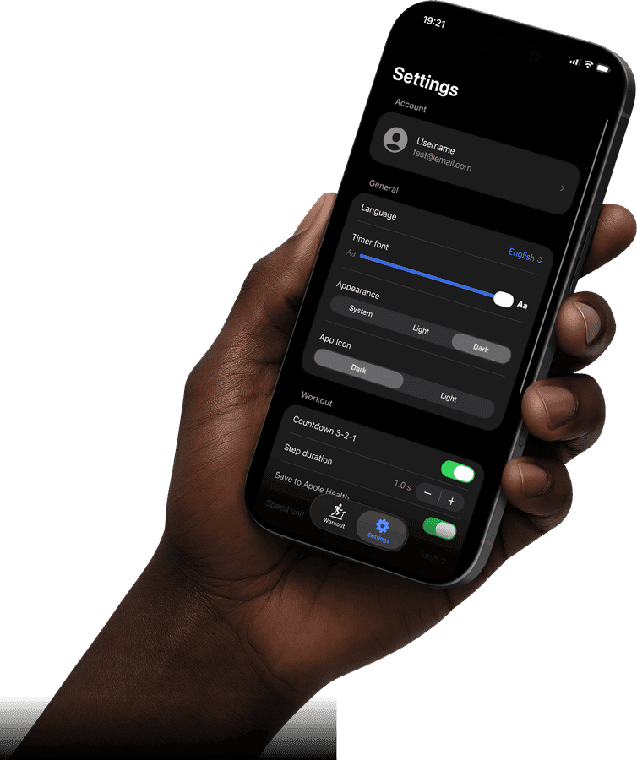
Customize the app to your style
Six languages, metric or imperial units, light and dark themes, custom app icons. Treadmill Pro adapts to how you train, not the other way around.
How to connect your Superfit SP37914US
- 1
Enable Bluetooth
Make sure Bluetooth is on in iPhone Settings, then power on your Superfit SP37914US.
- 2
Auto-discover in Treadmill Pro
Open the app, and it immediately scans for nearby treadmills. Your Superfit SP37914US shows up automatically. One tap connects you.
- 3
Run and let the app do the rest
Adjust speed and incline from your iPhone. Workout data, heart rate from Apple Watch, and session history are all saved to Apple Health.
Other supported treadmills
View all supported treadmills


Frequently asked questions
What if the Superfit SP37914US does not appear in the device list?
Make sure the Superfit SP37914US is powered on and Bluetooth is enabled on your iPhone, then reopen the Devices screen in Treadmill Pro. Most treadmills appear within a few seconds.
Does Treadmill Pro support incline-only workouts on the SP37914US?
Yes, you can adjust incline independently of speed on the Superfit SP37914US, which is useful for walking workouts or incline intervals.
Can I see my past Superfit SP37914US sessions in the app itself?
Yes. Treadmill Pro keeps a history of your Superfit SP37914US sessions in-app, in addition to syncing everything to Apple Health.

Take control of
your SP37914US
Download Treadmill Pro for free and start controlling your Superfit SP37914US from your iPhone in seconds.
Free on the App Store & Google Play · iPhone, iPad & Android