






Control your
Maxxus RunMaxx 10
from your iPhone
Changing speed or incline by hand mid-run on the Maxxus RunMaxx 10 means reaching for a console you can barely see while breathing hard. Treadmill Pro moves those controls to your iPhone, so you can adjust pace without breaking your stride.


Free · iPhone, iPad & Android
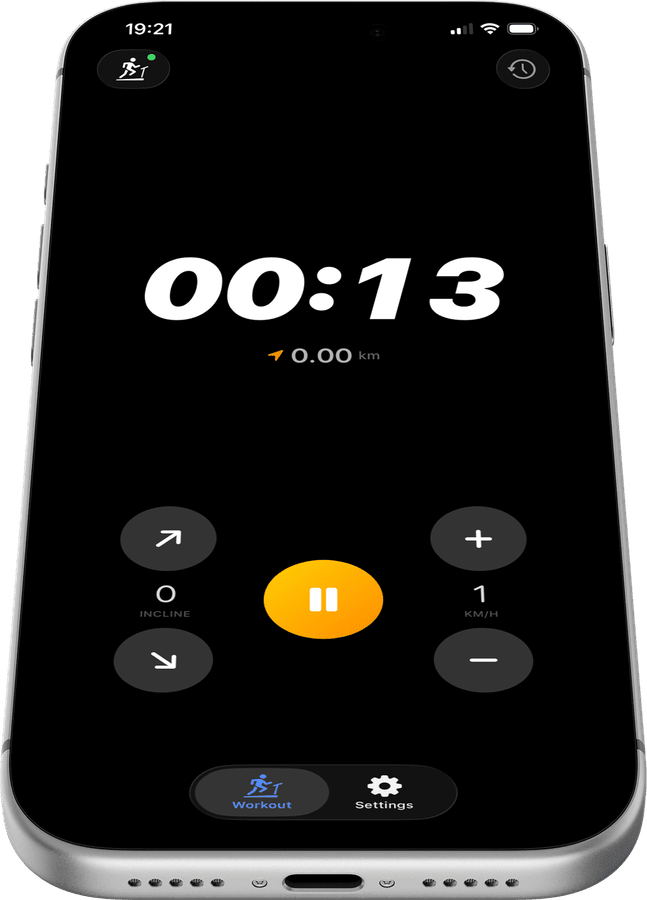
Keep your eyes forward on the Maxxus RunMaxx 10
Speed and incline for your Maxxus RunMaxx 10 live in one thumb-friendly panel in Treadmill Pro, so you never have to lean toward the console or look away from your stride to make a change.
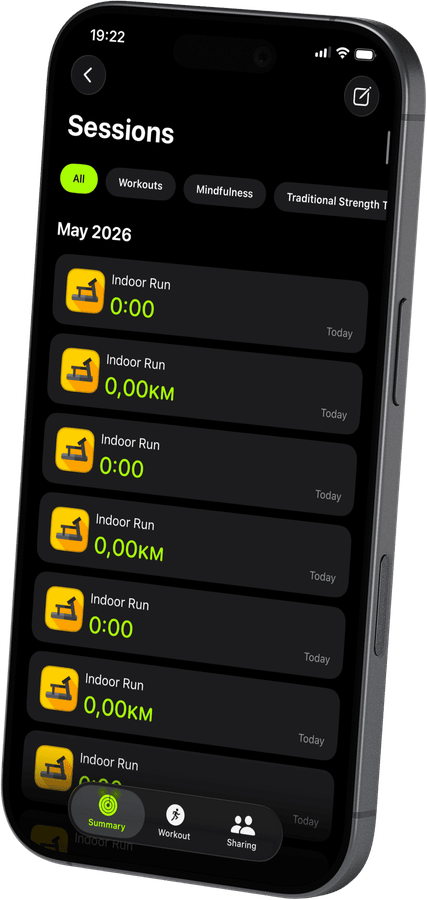

Interval training made simple
Jump between paces in a tap during intervals or hill repeats on your Maxxus RunMaxx 10. Treadmill Pro responds instantly over Bluetooth, with no lag waiting for a screen to catch up.
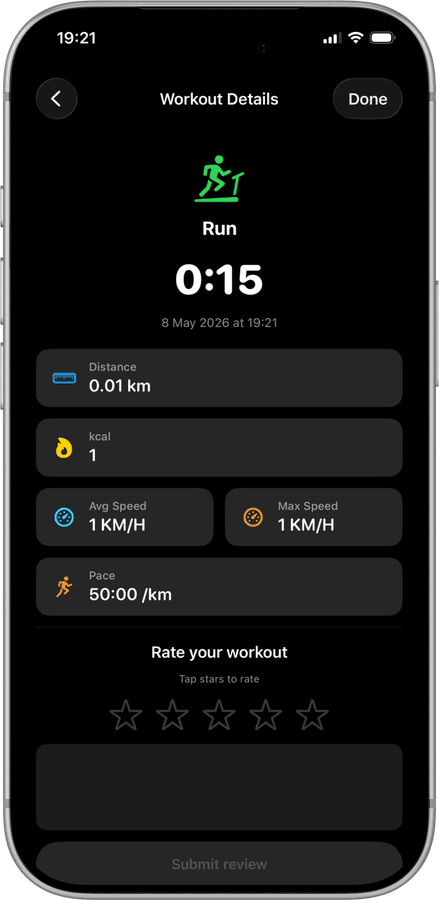
Every interval logged automatically
Treadmill Pro records each speed and incline change during your session, then saves the full workout, distance, and calories to Apple Health when you finish.
How to connect your Maxxus RunMaxx 10
- 1
Prepare your iPhone
Enable Bluetooth in Settings, then head to the Devices tab inside Treadmill Pro.
- 2
Auto-detect the Maxxus RunMaxx 10
Nearby FTMS-compatible treadmills appear automatically. Select the Maxxus RunMaxx 10 from the list to complete the connection.
- 3
Control speed and incline live
Adjust pace and incline in real time as you run, and finish the session to sync everything with Apple Health.
Other supported treadmills


Frequently asked questions
Does Treadmill Pro work with the Maxxus RunMaxx 10?
Yes. The Maxxus RunMaxx 10 is on our confirmed-compatible device list. Open Treadmill Pro on your iPhone, and it will discover your treadmill automatically over Bluetooth, no manual setup needed.
What do I need to control my Maxxus RunMaxx 10 from my phone?
Just an iPhone running iOS 15 or later with Bluetooth enabled, and the free Treadmill Pro app from the App Store. No extra hardware, dongles, or accessories are required.
Is the Maxxus RunMaxx 10 app free?
Treadmill Pro is free to download. Bluetooth connection, speed and incline control, and workout tracking are all included at no cost. An optional Pro upgrade unlocks additional features for users who want more.

Take control of
your RunMaxx 10
Download Treadmill Pro for free and start controlling your Maxxus RunMaxx 10 from your iPhone in seconds.
Free on the App Store & Google Play · iPhone, iPad & Android