






Control your
Matrix Fitness T75
from your iPhone
Your Matrix Fitness T75 deserves a better control experience. Treadmill Pro connects via Bluetooth and puts speed, incline, and workout tracking right on your iPhone, completely free.


Free · iPhone, iPad & Android
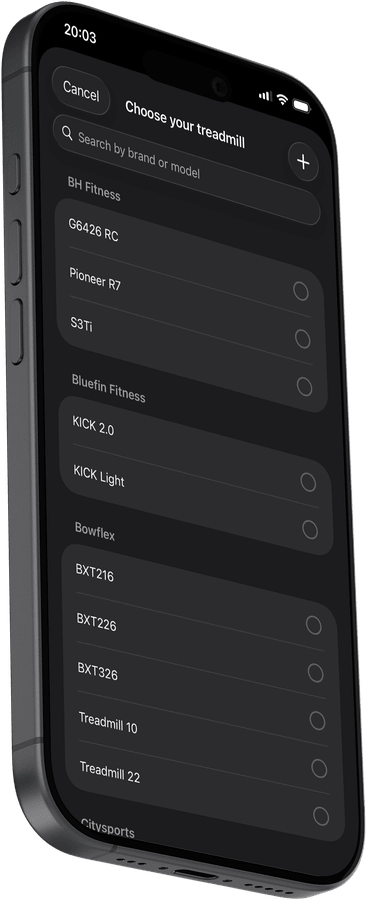
Find the Matrix Fitness T75 in the app instantly
Open Treadmill Pro, go to Devices, and your Matrix Fitness T75 appears within seconds. No PIN, no pairing code, just tap to connect and start your session.
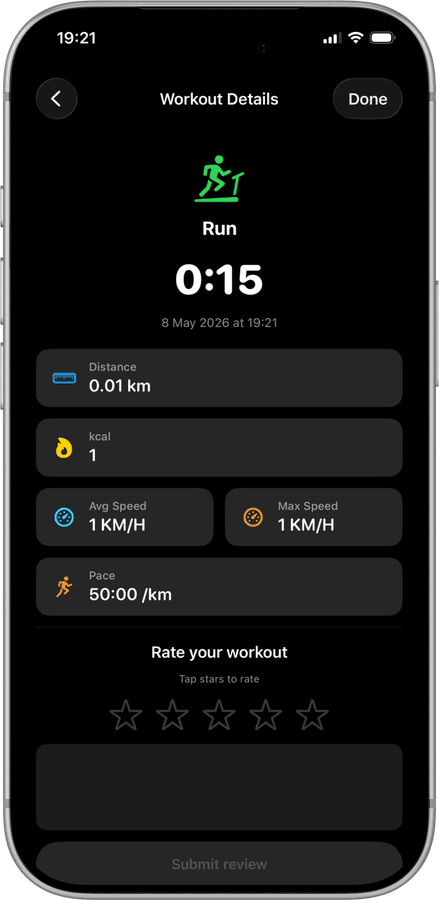
Run data that actually means something
After every session, Treadmill Pro shows distance, calories, average and max speed, and pace. All data is stored in the app and synced to Apple Health, so your long-term fitness picture is always complete.
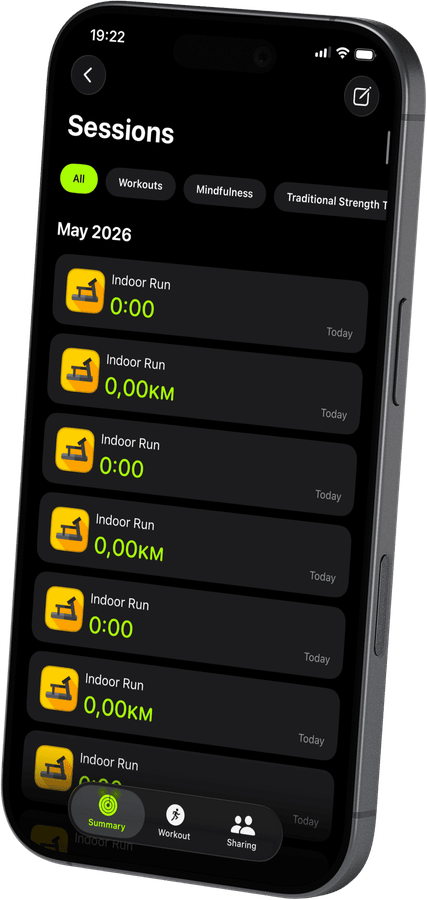

Apple Health, ready from day one
Your Matrix Fitness T75 sessions sync to Apple Health automatically: distance, active calories, heart rate via Apple Watch, and more. Open the Health app and your treadmill history is already there.
How to connect your Matrix Fitness T75
- 1
Enable Bluetooth
Make sure Bluetooth is on in iPhone Settings, then power on your Matrix Fitness T75.
- 2
Auto-discover in Treadmill Pro
Open the app, and it immediately scans for nearby treadmills. Your Matrix Fitness T75 shows up automatically. One tap connects you.
- 3
Run and let the app do the rest
Adjust speed and incline from your iPhone. Workout data, heart rate from Apple Watch, and session history are all saved to Apple Health.


Frequently asked questions
How far away can my iPhone be from the Matrix Fitness T75?
Bluetooth has a typical range of about 10 meters (30 feet), so keeping your iPhone anywhere near the Matrix Fitness T75 during a run, including in an armband, works reliably.
Will Treadmill Pro work if I already use a fitness watch?
Yes. Treadmill Pro controls the Matrix Fitness T75 independently and, if you wear an Apple Watch, adds heart rate data from Apple Health without any extra setup.
Can I stop and restart a session on the T75?
Yes, you can pause and resume a workout on the Matrix Fitness T75 from within Treadmill Pro, and the final saved session reflects your full active time.

Take control of
your T75
Download Treadmill Pro for free and start controlling your Matrix Fitness T75 from your iPhone in seconds.
Free on the App Store & Google Play · iPhone, iPad & Android