






Control your
Redliro Walking Pad
from your iPhone
A single run on the Redliro Walking Pad tells you how today went. Weeks of runs, tracked in Treadmill Pro and synced to Apple Health, tell you whether you are actually getting fitter.


Free · iPhone, iPad & Android
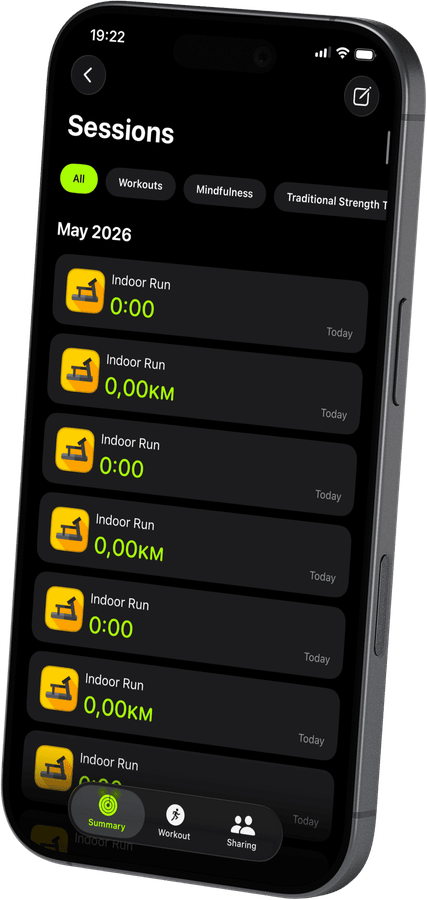
See your Redliro Walking Pad progress add up
Treadmill Pro keeps a running history of every session on your Redliro Walking Pad: distance, pace, and calories, so you can compare this month to last month at a glance.
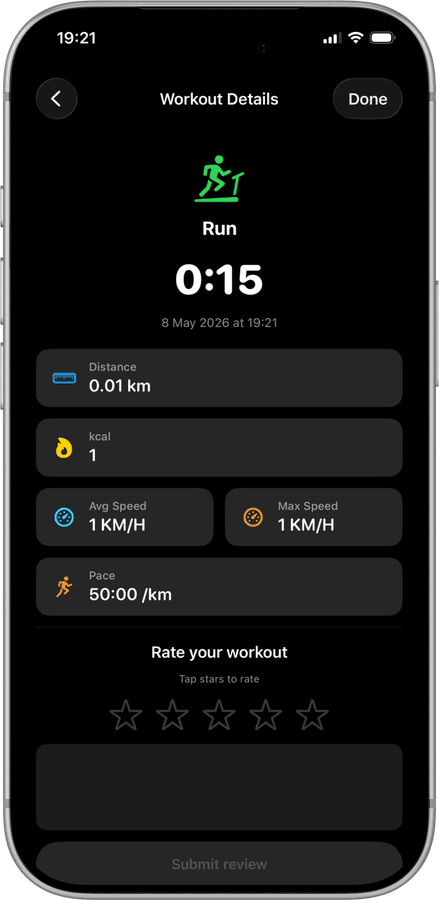
Rate every run to remember how it felt
A quick star rating after each Walking Pad session helps you spot patterns, like which paces feel sustainable and which ones deserve a slower build-up.

One combined health record
Because every Redliro Walking Pad workout lands in Apple Health alongside your other activity, your treadmill sessions are never a separate, disconnected log.
How to connect your Redliro Walking Pad
- 1
Turn on Bluetooth first
Before opening the app, confirm Bluetooth is switched on in iPhone Settings and your Redliro Walking Pad is powered up.
- 2
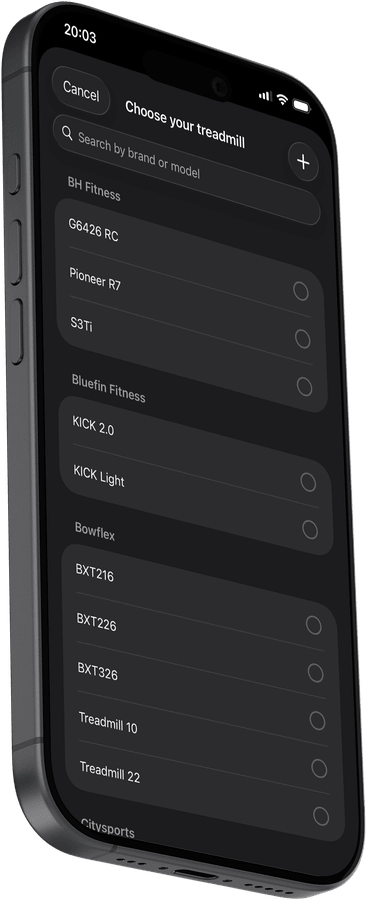
Pick your treadmill from the list
Treadmill Pro scans automatically and lists nearby FTMS treadmills. Find your Redliro Walking Pad and tap once to connect.
- 3
Tap start and go
With the connection made, tap Start to begin your session. Speed and incline stay under your control from the iPhone the whole time.
Other supported treadmills
View all supported treadmills


Frequently asked questions
Can I upgrade to Pro for extra features?
Treadmill Pro offers an optional paid upgrade with additional features on top of the free Bluetooth control for the Redliro Walking Pad. The core connection and tracking stay free either way.
Does the Redliro Walking Pad need a firmware update first?
Most Redliro Walking Pad units work with Treadmill Pro out of the box. If your treadmill uses an unusually old firmware version, check the manufacturer's app for available updates.
What data is saved after each session?
Treadmill Pro saves distance, calories, average and max speed, and pace for every Redliro Walking Pad session, then mirrors that data into Apple Health.

Take control of
your Walking Pad
Download Treadmill Pro for free and start controlling your Redliro Walking Pad from your iPhone in seconds.
Free on the App Store & Google Play · iPhone, iPad & Android