






Control your
PACEROCKER Walking Pad
from your iPhone
Treadmill Pro turns your PACEROCKER Walking Pad into a smart, phone-controlled machine. Open the app, and it finds your treadmill over Bluetooth in seconds, then you control everything from your iPhone screen.


Free · iPhone, iPad & Android

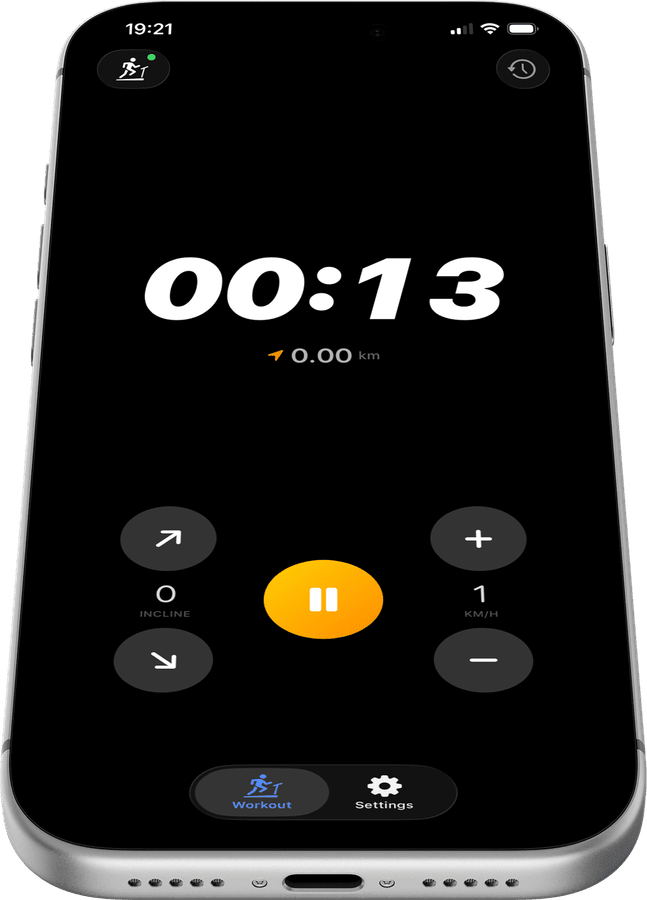
Control your PACEROCKER Walking Pad without touching it
Speed, incline, start, stop, all from your iPhone. The Treadmill Pro control screen for your PACEROCKER Walking Pad is built for workouts: large tap targets, instant Bluetooth response, and a live timer so you always know how long you've been running.
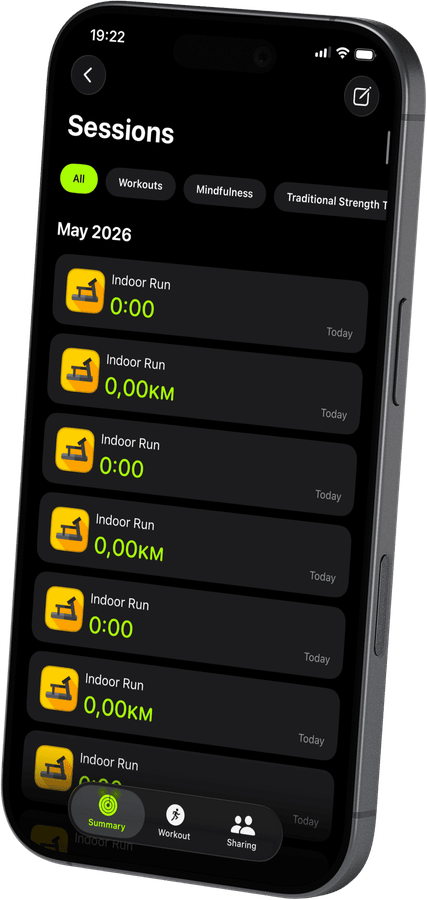
Detailed stats after every Walking Pad session
Distance, total calories, average speed, max speed, pace, and duration are all captured automatically. Add a personal star rating to remember how the run felt, then compare sessions over time.
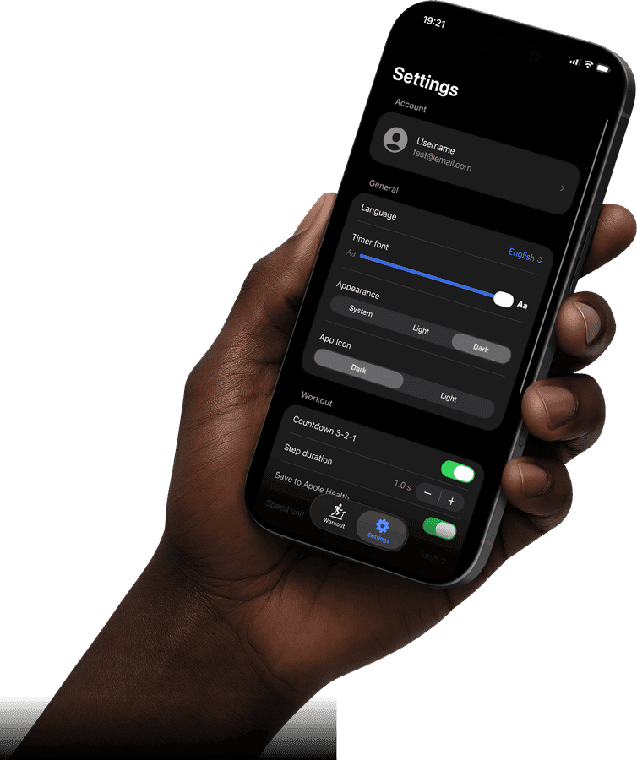
Saved to Apple Health automatically
No extra steps. When you end a session, your PACEROCKER Walking Pad workout is pushed to Apple Health, calories, distance, and real-time heart rate from Apple Watch included. Everything stays in sync.
How to connect your PACEROCKER Walking Pad
- 1
Open the app with Bluetooth on
Make sure your iPhone's Bluetooth is enabled, then launch Treadmill Pro.
- 2
Select the PACEROCKER Walking Pad from the scan
The app scans continuously in the background of the Devices screen. As soon as your PACEROCKER Walking Pad appears, tap to connect.
- 3
Run your session end to end
Control every part of your workout from your iPhone, and Treadmill Pro saves the results to Apple Health the moment you stop.
Other supported treadmills


Frequently asked questions
Is my workout data on the PACEROCKER Walking Pad private?
Session data from your PACEROCKER Walking Pad is saved to your Treadmill Pro account and synced with your personal Apple Health. It stays private unless you choose to publish a workout to the public leaderboard.
Do I need Wi-Fi to use Treadmill Pro with the Walking Pad?
No. The connection between your iPhone and the PACEROCKER Walking Pad runs entirely over Bluetooth, so Wi-Fi is not required during a workout.
Can I change units from miles to kilometers on the PACEROCKER Walking Pad?
Yes. Treadmill Pro lets you switch between metric and imperial units at any time, independent of whichever units the PACEROCKER Walking Pad console itself displays.

Take control of
your Walking Pad
Download Treadmill Pro for free and start controlling your PACEROCKER Walking Pad from your iPhone in seconds.
Free on the App Store & Google Play · iPhone, iPad & Android