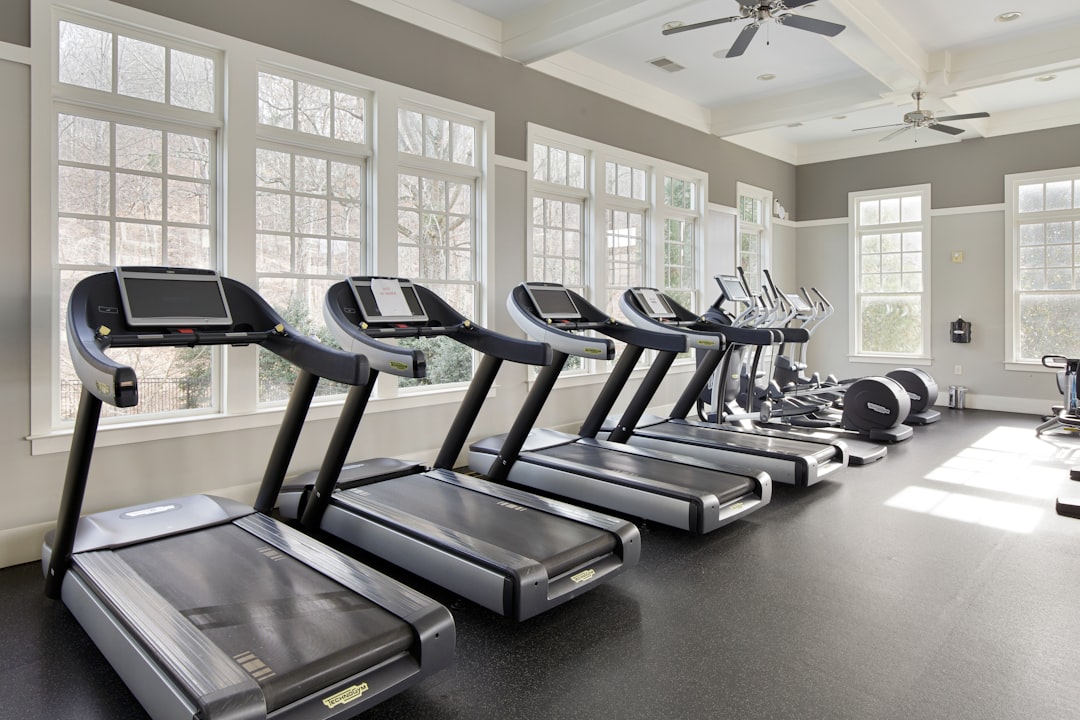
“Bluetooth enabled” on a treadmill spec sheet can mean five completely different things, and only one of them lets your phone actually read speed and change incline. That gap is why so many people buy a connected treadmill and end up typing their workout into an app by hand. This guide explains what is really happening between the console and your phone, which protocol matters, and how to diagnose a connection that keeps dropping mid-interval.
The Three Things a Treadmill Might Call “Bluetooth”
Before anything else, sort the marketing claim into one of three buckets. They are not interchangeable.
- Bluetooth audio. The console has a speaker and pairs like a headset. It carries no workout data at all. Plenty of budget machines list this as “Bluetooth connectivity” and nothing more.
- Bluetooth heart rate input. The treadmill receives data from a chest strap or armband so the console can show your heart rate. Data flows into the machine, not out of it. Your phone still sees nothing.
- Bluetooth Low Energy data output. The treadmill broadcasts speed, incline, distance, time and sometimes cadence, and in the good implementations it accepts commands back. This is the only bucket that gives you real app control.
If a listing does not distinguish between these, assume the cheapest interpretation until you find the manual and confirm otherwise. The manual is the source of truth: search the PDF for “FTMS”, “GATT” or “Fitness Machine Service”.
BLE, GATT and Why Your Treadmill Is a “Peripheral”
Modern treadmills use Bluetooth Low Energy, not the older Bluetooth Classic that powers headphones. BLE was designed for small, frequent packets from battery-conscious sensors, which fits a machine reporting speed 1-4 times per second.
BLE devices talk through something called GATT, a structured table of data. The vocabulary is worth knowing because every troubleshooting forum uses it:
- Peripheral: the treadmill. It advertises its presence and holds the data.
- Central: your phone or watch. It scans, connects and subscribes.
- Service: a group of related data, identified by a UUID. The Fitness Machine Service is
0x1826. - Characteristic: a single data field inside a service, such as Treadmill Data (
0x2ACD) or the Fitness Machine Control Point (0x2AD9). - Notify: the mechanism by which the treadmill pushes new values to the phone without being asked every time.
One practical consequence: a BLE peripheral usually accepts only one central connection at a time. If your treadmill is already connected to the manufacturer’s app in the background, another app will scan and see nothing, or see the device and fail to connect. This single fact explains a large share of “it will not pair” complaints.
FTMS: The Standard That Actually Matters
FTMS stands for Fitness Machine Service, a Bluetooth SIG standard published for treadmills, bikes, rowers and ellipticals. When a treadmill implements FTMS properly, any compliant app can do three things without a manufacturer partnership:
- Read live metrics. Instantaneous speed, average speed, incline, total distance, elapsed time, and on some machines inclination angle, ramp angle and step count.
- Read machine capabilities. Supported speed range and increment, supported incline range and increment. This is how an app knows your machine tops out at 16 km/h with 0.1 km/h steps and 15% incline in 0.5% steps.
- Send control commands. Request control, set target speed, set target incline, start, pause and stop, through the Control Point characteristic.
That third capability is the interesting one. With full FTMS write support, an interval session can run itself: the app sets 12 km/h for 60 seconds, drops to 6 km/h for 90 seconds, and repeats, without you reaching for the console mid-effort. That is exactly how a structured session like the 30/30 interval workout is supposed to feel, because the transitions land on time instead of two seconds late while you hunt for the speed button.
Be aware that FTMS support is often partial. A machine may broadcast data beautifully and refuse every write command, which gives you accurate tracking but no remote control. Manufacturers sometimes also lock incline writes while allowing speed writes, usually for safety certification reasons.
Proprietary Protocols and Why They Exist
Plenty of treadmills, including many widely sold walking pads, use a custom BLE protocol instead of FTMS. They still use BLE and GATT, but with vendor-specific UUIDs and a private byte format: a header byte, a command byte, a payload, a checksum, a terminator.
There are two honest reasons for this and one cynical one. The honest reasons: the design predates FTMS becoming common, or the machine has controls that FTMS does not describe well. The cynical reason: a closed protocol keeps you inside the manufacturer’s app, where a subscription lives.
What this means in practice:
- A generic FTMS app will not see the machine at all, or will see the name and be unable to read anything useful.
- Support depends on someone having reverse-engineered that specific protocol. This is why app compatibility lists are model-specific, not brand-specific: the same brand can ship FTMS in one model and a private protocol in the next.
- Firmware updates can change the protocol. A model that worked last year may need updated app support after a console update.
Treadmill Pro handles both paths, speaking standard FTMS where the machine offers it and known vendor protocols where it does not, then writing the finished session to Apple Health so your totals stay in one place.
What About ANT+ and Wi-Fi?
ANT+ is the older sensor protocol still common on chest straps and bike trainers. Its Fitness Equipment Device profile covers treadmills, but iPhones have no native ANT+ radio, so on iOS it is irrelevant unless you add a dongle. If you see ANT+ on a treadmill spec, treat it as a bonus for Garmin watch users, not as a substitute for BLE.
Wi-Fi on a treadmill is almost always about the console itself: streaming classes, firmware updates and the manufacturer’s cloud account. It rarely exposes an open local API. A machine can have excellent Wi-Fi and zero usable data output to your phone.
Bluetooth version numbers (5.0, 5.2, 5.3) tell you about range and throughput, not about what data is exposed. A Bluetooth 5.3 treadmill with audio only is still an audio-only treadmill.
Fixing a Connection That Keeps Dropping
Work through this in order. Most problems resolve in the first three steps.
- Kill the competing connection. Force-quit the manufacturer app, and if the treadmill was ever paired in iOS Settings as a classic device, tap “Forget This Device” there. BLE fitness devices generally should not appear in the iOS Bluetooth list at all: they connect from inside the app.
- Power cycle the console properly. Not the standby button. Switch off at the mains switch, unplug, wait 30 seconds, plug back in. BLE stacks in cheap consoles hang, and only a cold boot clears the stale connection record.
- Check the range and the metal. BLE at 2.4 GHz has to get past the motor housing and the frame. If the console module sits at the front and your phone is in an armband on your right arm, you are shooting through the machine. Put the phone on the console shelf or in the cup holder for the test.
- Rule out interference. A microwave, a 2.4 GHz Wi-Fi router within a metre, and a crowded gym full of paired earbuds all raise the noise floor. Symptoms are stutters and 1-2 second gaps in the data, not a hard disconnect.
- Watch for a treadmill idle timeout. Some machines drop BLE when the belt has been stopped for 5-10 minutes. That looks like a random disconnect but is really a power-saving feature. Start the belt at 2 km/h before you try again.
- Reset the phone’s Bluetooth stack. Toggle Bluetooth off, wait 10 seconds, toggle it on. If a device still misbehaves after that, restart the phone before you blame the treadmill.
- Update the console firmware. Only through the manufacturer’s own tool, and only when you are not about to train. A failed treadmill firmware update is a service call.
If a machine only ever streams speed and never accepts a command, that is not a fault to troubleshoot. It is the limit of what the console exposes, and no app can change it.
Buying With Connectivity in Mind
If data matters to you, these questions separate a genuinely open treadmill from a marketing claim:
- Does the manual name FTMS or Fitness Machine Service? If yes, you are almost certainly fine. If it names only “Bluetooth 5.0”, assume the worst until proven otherwise.
- Does the machine work fully without an account? A console that refuses to change incline unless you are logged in to a subscription is a console that will fight your app too.
- Are there real user reports of third-party app control for that exact model number? Not the brand, the model.
- Does incline respond to commands, or only speed? This decides whether incline-based sessions like the 12-3-30 workout can run hands-free.
The rest of the hardware decision, motor rating, belt size, frame weight, is covered in our guide on what to look for when buying a treadmill for home. Connectivity belongs on that checklist, just not above the motor.
The Short Version
Bluetooth on a treadmill is three separate capabilities wearing one label: audio, heart rate input, and workout data output. Only the third matters for tracking, and only FTMS with write support gives you true app control of speed and incline. Everything else is either a private protocol that needs specific app support, or a speaker.
Next steps: find your model’s manual, search it for “FTMS”, and note whether control commands are supported. Then pair once with the console powered fresh and no other app running, and confirm that speed, incline and distance all move in the app while the belt is running. Once the connection is solid, pair it with a heart rate source so your zones are accurate, following the setup in our guide to Apple Watch heart rate zones on the treadmill, and let the plan drive the machine instead of the other way round.